Capture approved listing data. Review before import.
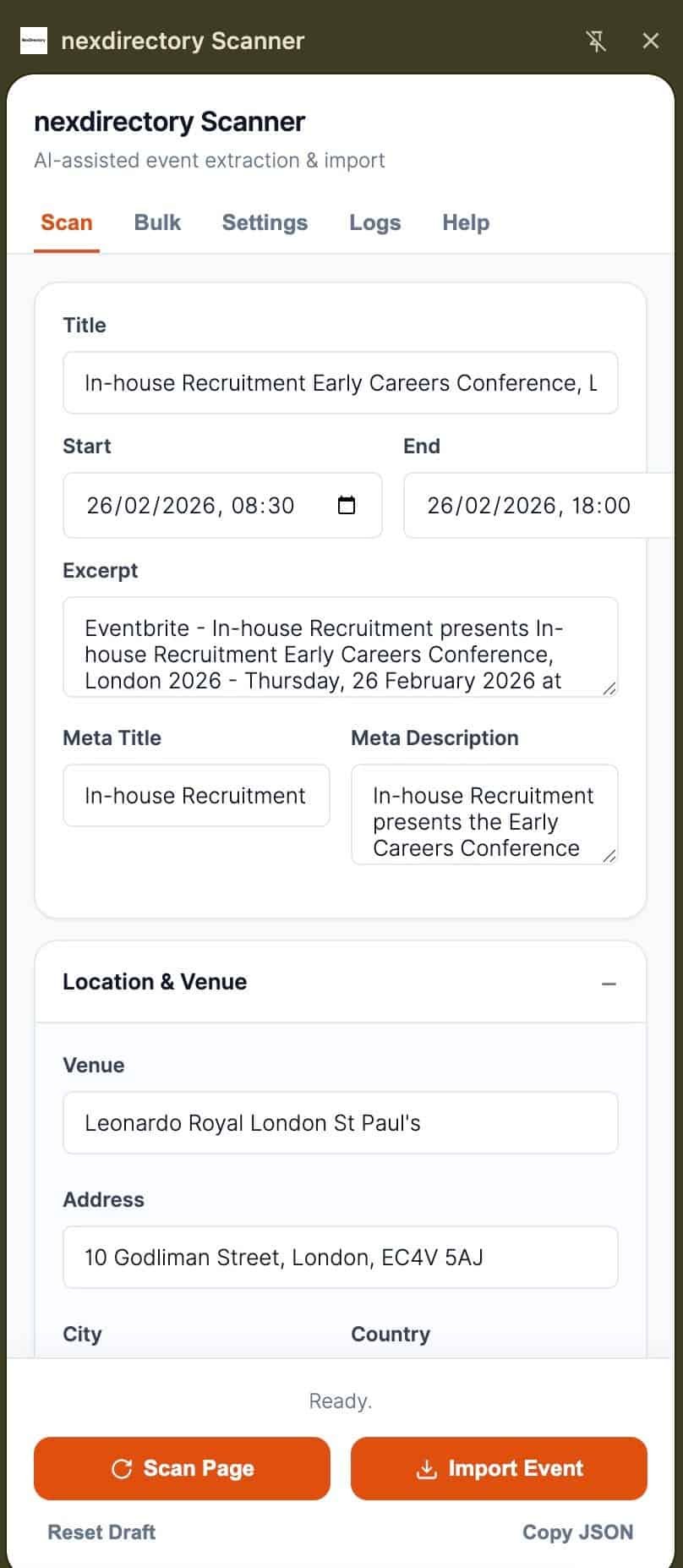
The NexDirectory Scanner is a Chrome side-panel extension for collecting listing details from pages you own, manage, or have permission to republish. It helps teams gather fields faster, then send them into WordPress for review and moderation.
Trusted Workflow
Built for approved imports and human review.
Field Capture Assistance
Use the side panel to identify fields such as dates, venues, links, and contact details from source pages you are authorized to use.
Moderated Import Queue
Collected data is sent into your NexDirectory workflow for review, cleanup, and moderation before it appears on the live site.
Safety First
The extension is intended for first-party or licensed content workflows. It should not be used to bypass logins, paywalls, or access controls.
How it works
- 1Connect the extension to your WordPress site using your approved NexDirectory setup.
- 2Open a source page you are allowed to reuse, then capture the fields you want to bring into WordPress.
- 3Review the collected data inside NexDirectory before publishing or sending it live.
Plain-English safety statement
The scanner helps you collect fields from approved source pages more quickly.
It does not replace editorial review, and it should only be used for content you own or have permission to republish.
Need implementation details? Review the support docs or contact the team.